
Using OBS Studio one of the most popular applications for live streamline, you can live stream directly to your Roku, Fire TV, Apple TV, and Google TV channels.
Here is how to configure your OBS to work with our RTMP server:
1 Open your OBS application, click on “Settings”.

2. Go to “Stream”, select Custom, and enter your “RTMP server” & “Stream key” that you received from OTTfeed.
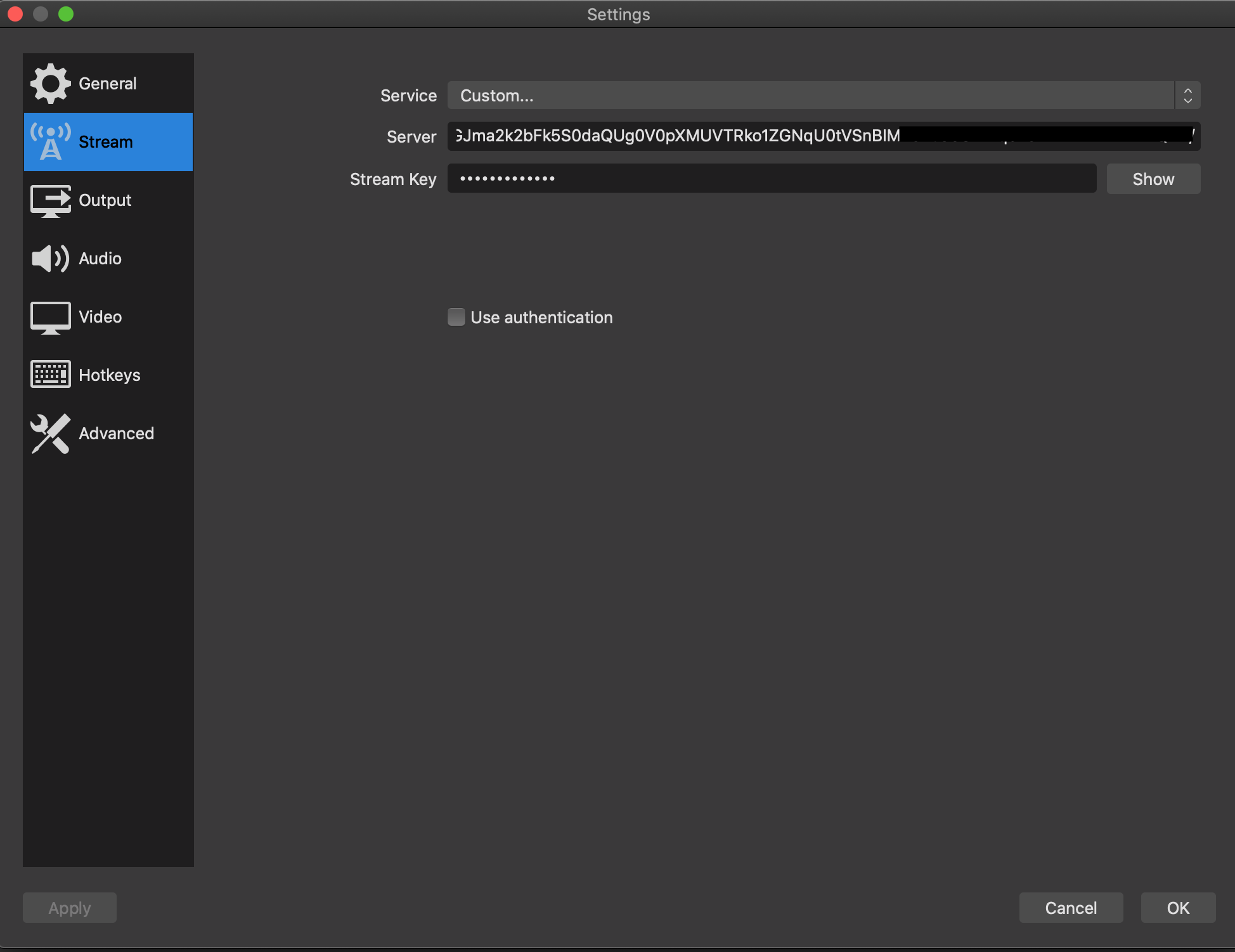
3. Go to “Video” section and select the “Output” to 1280×720 for 720p (recommended) or 1920×1080 for 1080p.

4. Go to “Output” section and enter 2500 Kbps for 720p (recommended) or 3500 Kbps for 1080p video output, and click “OK”

5. Click on Start streaming, if you see a green bar on the bottom that means your are streaming live directly to your Roku channel.
